
How to Accept Payments for Dropshipping Without Getting Frozen
4 Min
November 19, 2026
Author:
Garry
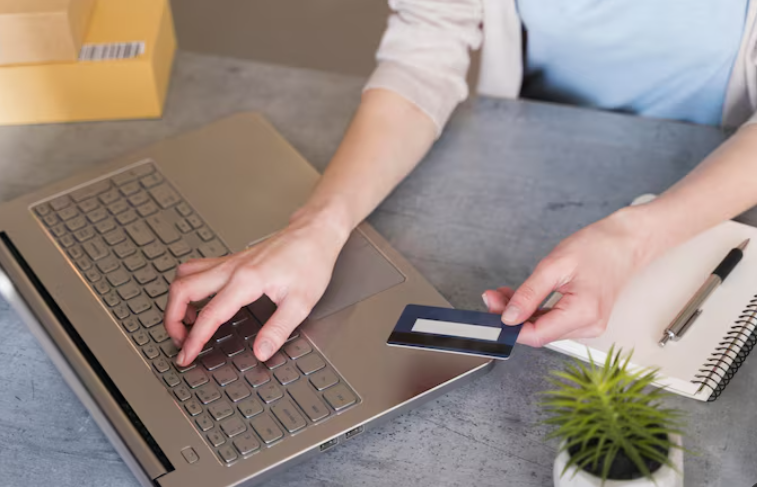

You’ve built your store and found a supplier. Now you need a way to accept payments, but choosing the wrong payment processor can put your money on hold.
This is a common concern for dropshippers: “How can I accept payments without getting my account frozen?
Many payment processors consider dropshipping a risky business. One reason is that suppliers may take longer to ship orders. This can lead to unhappy customers and more payment disputes.
At first, everything may go well. You choose a payment processor, start getting orders, and receive payments. Then one day, you get a message: “Your account is under review. Your funds are on hold.”
Your money is stuck, but your business expenses continue. Customers are waiting for their orders, suppliers need to be paid, and your ads are still running. In serious cases, PayPal can hold funds for up to 180 days. Visa also considers a dispute rate of 1.5% or higher excessive, as of April 2026. This means too many customer disputes can put your payment account at risk.
Many store owners only realise the importance of a proper payment setup after facing these problems. To reduce this risk, choose a payment processor that accepts dropshipping businesses, keep customer disputes low, and have a backup payment option.
This guide explains how to accept payments for dropshipping while reducing the risk of frozen funds. It also explains how PayFirmly can help your store continue accepting payments if one provider stops processing them.
What Causes Payment Accounts to Be Frozen
Payment processors may freeze accounts when they notice unusual activity or consider a business high-risk. The most common reasons include:
A high dispute rate: When many customers ask their banks to reverse payments, payment processors may consider the store risky. Visa considers a dispute rate of 1.5% or higher excessive.
Sudden increases in sales: If daily orders suddenly increase from 10 to 1,000, the payment processor may flag the activity for review.
Slow or missing tracking updates: If customers cannot track their orders, they may contact their banks to dispute the payments.
Incorrect business information: If the products or services listed in your payment application do not match what your store sells, the processor may question your business.
Missing store information: If your website does not clearly display shipping times, refund policies, and contact details, customers may be more likely to raise disputes.
Payment fraud: Criminals may use your store to test stolen card details. This can increase fraudulent transactions and put your payment account at risk.
These risks can be reduced by providing accurate business information, keeping customers updated, and monitoring payment disputes.
How to Accept Payments for Dropshipping: Your Main Options
There are five main ways to accept payments for dropshipping. Each option has different benefits and risks, especially when it comes to payment holds and frozen accounts.
1. Digital wallets such as PayPal: Many customers trust PayPal, and setting up an account is easy. However, new or fast-growing stores may face payment holds or reserves. Dropshipping is allowed, but accounts may still be reviewed.
2. Stripe and Shopify Payments: These are popular choices because they are easy to connect to online stores and have clear fees. However, their rules depend on your country and the products you sell. Check their restricted-business lists before choosing a provider.
3. High-risk merchant accounts: Some providers specialise in businesses that face a higher risk of payment disputes or fraud. They may accept businesses that other providers reject, but their fees are usually higher. They may also hold part of your payments as a reserve.
4. Local payment methods and bank payments: Options such as iDEAL and Trustly let customers pay through their banks. These methods can help reduce payment disputes in some markets. However, they are not available in every country.
5. Payment orchestration: Instead of relying on one payment processor, you can use a payment orchestration platform to connect your store to several providers through one integration. The platform can route payments between them based on set rules. This gives your store more payment options and reduces dependence on a single provider.
For most growing dropshipping stores, using a main payment processor along with a backup provider and local payment methods can help reduce the risk of payment disruptions.
Payment Processors for International Dropshipping That Reduce Freeze Risk
Selling to customers in different countries comes with extra payment challenges. The right payment processor for international dropshipping should support different countries, currencies, and payment methods. Comparing payment gateways for international transactions can help you understand which options suit your target markets. Here are some important things to check:
Check which countries are supported: A payment processor may support your business's country but not the countries where your customers live. Check both before choosing a provider.
Offer local payment methods: Customers in Germany, the Netherlands, and Brazil may prefer local payment methods over cards. Offering familiar ways to pay can make checkout easier and reduce failed payments.
Support multiple currencies: Let customers see prices in their own currency. This makes the cost clear and helps avoid confusion about the amount charged.
Check all fees: International payments may include extra charges for currency conversion, cross-border transactions, and disputes. Check the full fee list before choosing a provider.
Set realistic delivery times: International orders often take longer to arrive. Make sure the delivery times shown at checkout match the actual shipping time for each country. This helps avoid customer complaints and payment disputes.
Check dispute support: Choose a processor that helps you handle payment disputes. Tools for collecting order details, tracking information, and delivery proof can support dispute representment and make it easier to respond to payment disputes.
How to Choose a Processor That Won’t Freeze Your Funds
Before signing up, take time to check the provider’s policies, fees, and support for dropshipping businesses. The following points will help you choose a processor that meets your business needs and reduces the risk of frozen funds:
- Confirm that the provider supports your business model. Ask for written confirmation before signing up.
- Check whether it supports your business location and the countries where your customers live.
- Ask if the provider holds part of your payments as a reserve, how much it holds, and when you will receive the money.
- Check how long it takes for payments to reach your bank account.
- Look for tools that alert you about disputes and help you submit evidence to challenge them.
- Check whether it connects easily with Shopify, WooCommerce, or Magento.
- Features such as 3D Secure and fraud detection tools can help identify suspicious payments and reduce fraud.
Step-by-Step: Setting Up Payments Without Triggering a Review
Set up your payment account properly before you start selling. This can help prevent payment holds and account reviews. Follow these steps:
Step 1: Prepare your documents: Keep your business registration, ID, bank details, and supplier information ready. Missing documents can delay account approval.
Step 2: Share correct business details: Clearly explain what you sell and how your business works. If you use suppliers to ship orders, mention this in your application.
Step 3: Add clear store policies: Your website should show shipping times, refund policies, terms and conditions, and contact details.
Step 4: Test your checkout: Place a few test orders to make sure payments work properly. Check that customers receive order confirmations and payment receipts.
Step 5: Grow your sales gradually: Avoid sudden increases in sales or advertising spend. Increase them steadily to avoid unusual changes in payment activity.
Step 6: Keep a backup payment provider: Set up a second payment account while your main account is working properly. This gives you another option if your main provider stops processing payments.
Step 7: Check payments regularly: Review your refunds and payment disputes every week. If the numbers increase, find the reason and fix the problem early.
How PayFirmly Helps You Accept Dropshipping Payments Without Freezes
PayFirmly is a payment orchestration platform that connects your store to multiple payment providers through one integration. It supports over 500 payment methods, including cards, digital wallets, bank transfers, and crypto payments. It also offers features such as smart payment routing, fraud protection, 3D Secure, and chargeback management.
It supports ecommerce payment solutions for platforms such as Shopify, WooCommerce, and Magento, as well as custom-built stores.This allows dropshipping businesses to accept payments through different providers instead of relying on just one.
No platform can guarantee that your funds will never be held or your account reviewed. However, PayFirmly gives your business more payment options and tools to manage payment risks. You can book a free demo to learn how it can help your store.
Accept Dropshipping Payments With Less Freeze Risk
Getting paid is the most important part of any online store, and for supplier-based businesses, it’s the part most likely to go wrong. Freezes follow patterns: rising disputes, sudden spikes, weak policies, and hidden details. That means you can plan around them.
Start by understanding why processors worry. Choose options that fit your countries and customers. Be honest in your application, publish clear policies, and keep delivery promises realistic. Watch your numbers every week, and never let your entire income depend on one account.
Do those things, and you’ll be set up to keep your money moving when others get stuck. To put that safety net in place now, explore what PayFirmly can do for your store.
Frequently Asked Questions
How do I accept payments for dropshipping?
Choose a processor that accepts your business model, apply with honest details, and publish clear shipping and refund policies. Then connect your checkout, grow steadily, and add a backup processor for protection.
Does Stripe allow dropshipping?
It depends on your country and the payment method. Stripe’s rules vary by region, and some payment methods exclude dropshipping outright. Check the current restricted-business list for your location before applying.
Why does PayPal hold dropshipping funds?
PayPal watches for risk signals such as new accounts, sudden sales spikes, and high dispute rates. Dropshipping stores can trigger these more easily because of long delivery times.
What is a rolling reserve?
It’s a percentage of each sale that the processor keeps back for a set period, then releases. It acts as protection against future chargebacks.
What are the best payment processors for international dropshipping?
The best choice depends on your customer countries, but look for multi-currency support, local payment methods, transparent fees, and strong dispute tools. Many stores combine two or more providers, often through an orchestration platform.
Other Related Articles
November 21, 2025
Mobile Payments: Why Your Business Should Adapt in 2026


Secure Crypto Payment Orchestration & Processor with PayFirmly
The future of adult payment processing is intelligent, compliant, and built around you.
Join leading adult brands using PayFirmly to boost approvals, cut fees, and simplify multi-processor management — all from one secure dashboard.
